Tag: Tutorials

Not the teacher often but when I am, I grab the mic.

  • Avoid MacOS Time Machine issues with Ubuntu SMB by Separating Users

    Avoid MacOS Time Machine issues with Ubuntu SMB by Separating Users

    Warning: Manage SMB users carefully.

    Using Time Machine along with SMB shares seems to cause an issue when the backup runs the other SMB shares stop working. What is likely happening is MacOS is locking the files as it starts the backup to avoid read write problems.

    Separating the users, as in having one SMB user for files sharing and a second for Time Machine seems to solve the issues.

    Fortunately, setting up an SMB share for Time Machine is pretty straightforward and developer Marinus Klasen has a great guide. I’ve simplified what is needed an added it below at the bottom. General steps.

    1. First, create the users and set up the disks on Ubuntu. Add 2 SMB users (guide on that below.)
    2. Update the Ubuntu’s SMB settings.
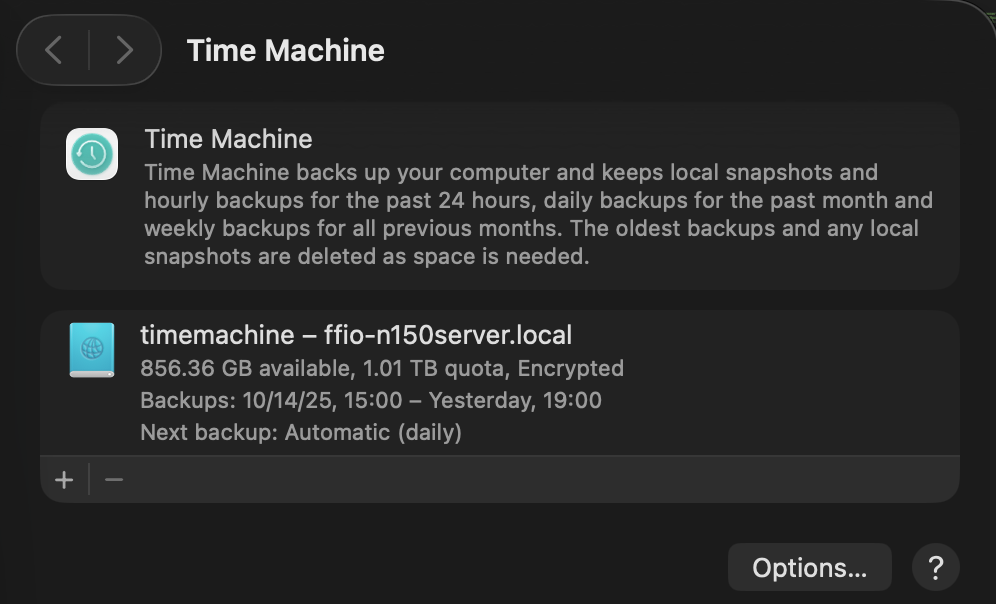
    3. Set up Time Machine on MacOS before connecting to SMB shares. The share you’re looking to use should show in the list.
    4. Connect to your other SMB shares and go!

    There’s a great quick guide on ask Ubuntu about adding a CLI only SMB user on Ask Ubuntu.

    ## For TimeMachine Config ##
    # Fruit global config
      fruit:aapl = yes
      fruit:nfs_aces = no
      fruit:copyfile = no
      fruit:model = MacSamba
    
    [timemachine]
       # Load in modules (order is critical!)
       vfs objects = catia fruit streams_xattr
       fruit:time machine = yes
       fruit:time machine max size = 1.5T
       comment = Time Machine Backup
       path = /TimeMachine (CHANGE THIS)
       available = yes
       valid users = timemachine (Maybe don't permit other SMB users.)
       browseable = yes
       guest ok = no
       writable = yes

    Ask Ubuntu

    Updated and Retried with Ubuntu 25.04 and MacOS Tahoe 26.0.1: 11/19/25

  • Blender 2.5 Network Rendering: Part 02 Windows

    Blender 2.5 Network Rendering: Part 02 Windows

    Windows is a solid platform for animation as all of the major 3D platforms support it; however, making it remote render friendly require it to have command line support. Being able to do remote command line for a machine is essential to keep render maintenance to a minimum. First I will go over the SSH (Secure SHell) setup for Windows then get into the a few changes to add better network and Blender support.

    (more…)

  • Quick fix for rel=”category tag” in WordPress

    Quick fix for rel=”category tag” in WordPress

    Here is a quick tip for helping WordPress, WordPress 3.2 specifically, with the HTML5 spec. HTML5 spec says that only certain rel types are allowed and WordPress’ “category tag” isn’t one of them. Fortunately I found a good bit of code here http://smalldiary.com/wordpresshow-to-add-nofollow-to-category-links.html which strips out the current rel=”category tag” and adds a rel=”nofollow” as a filter in the fuctions.php file for the theme. By adding it to the functions.php for the theme this provides a theme wide fix rather than having to edit individual templates.

    I altered the code a bit for my uses, however, as I’d still like the search engines crawling around my site so I stripped the code down to:
    add_filter( 'the_category', 'add_nofollow_cat' );  function add_nofollow_cat( $text ) { $text = str_replace('rel="category tag"', "", $text); return $text; }
    Now the W3 Validator has one less WordPress quirk to pickup on.

  • Blender Transparency Map Shadows Quick Fix

    Blender Transparency Map Shadows Quick Fix

    Over the weekend I was working out how to tear a piece of paper in Blender and stumbled on the annoying but easily solvable issue of transparency shadows.

    By default a material will not receive shadows based on the texture but on the geometry of an object. As seen here:


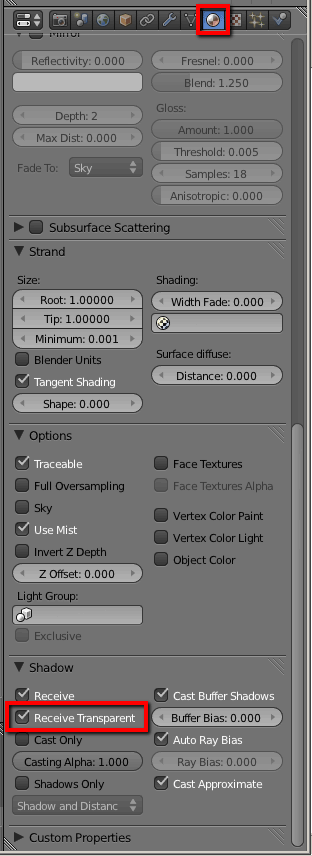
    To fix this, go to the receiving material’s proprieties and click “Receive Transparent.”


    Now the shadows are based on the texture:


    A simple fix, but if you are coming from a 3d software using clip maps or settings on the texture this can be a bit difficult to find. I will be taking a closer look on how this effect is best used and if it affects render times in a later post.

  • Dynamically generated HTML5 manifests

    Dynamically generated HTML5 manifests

    In the specification for HTML5 several methods for storing data locally are outlined including localStorage and manifests. While building out the offline storage for Animatic Builder, I attempted to keep the stored data dead simple; as in the case of the shot information which is stored as one long JSON string. In this way the shot data can be pulled into any other use by reading the string. Keeping the images stored proved more difficult due to the number, potentially hundreds, and their format as many separate files. As well as making sure the storage is universal on mobile and full client systems. (more…)