While there is an official fix for Mach-E’s 12v issues there is a Ford Pass app (unofficial of course) for Home Assistant that allows you to track and set a notification for the 12v battery. (Along with a host of other things.)
The login process is not super easy but once added the level of integration is excellent and, best of all, includes a readout of the 12v status. From there, setting up a automation triggered by the battery level is fairly straightforward. At the moment, I have it set to notify if the level drops below 40%. Usually the battery cycles around the %60 level, not usually dropping much below there so %40 seems like a good buffer.
First massive massive kudos to https://github.com/thomluther and all the folks working on the https://github.com/thomluther/anker-solix-api/ Anker Solix API. I cannot believe how far they have come in such a short period of time. There is now a usable Sensor API for the F3800 without the need for the power panels or other connections, all that is needed is the base unit.
At the moment, the MQTT decoding expects a base unit without add-on (official) batteries. (As far as I can read.) The install steps are fairly easy:
Install the HA version of the API via the HACS link.
Log-in using your Anker account.
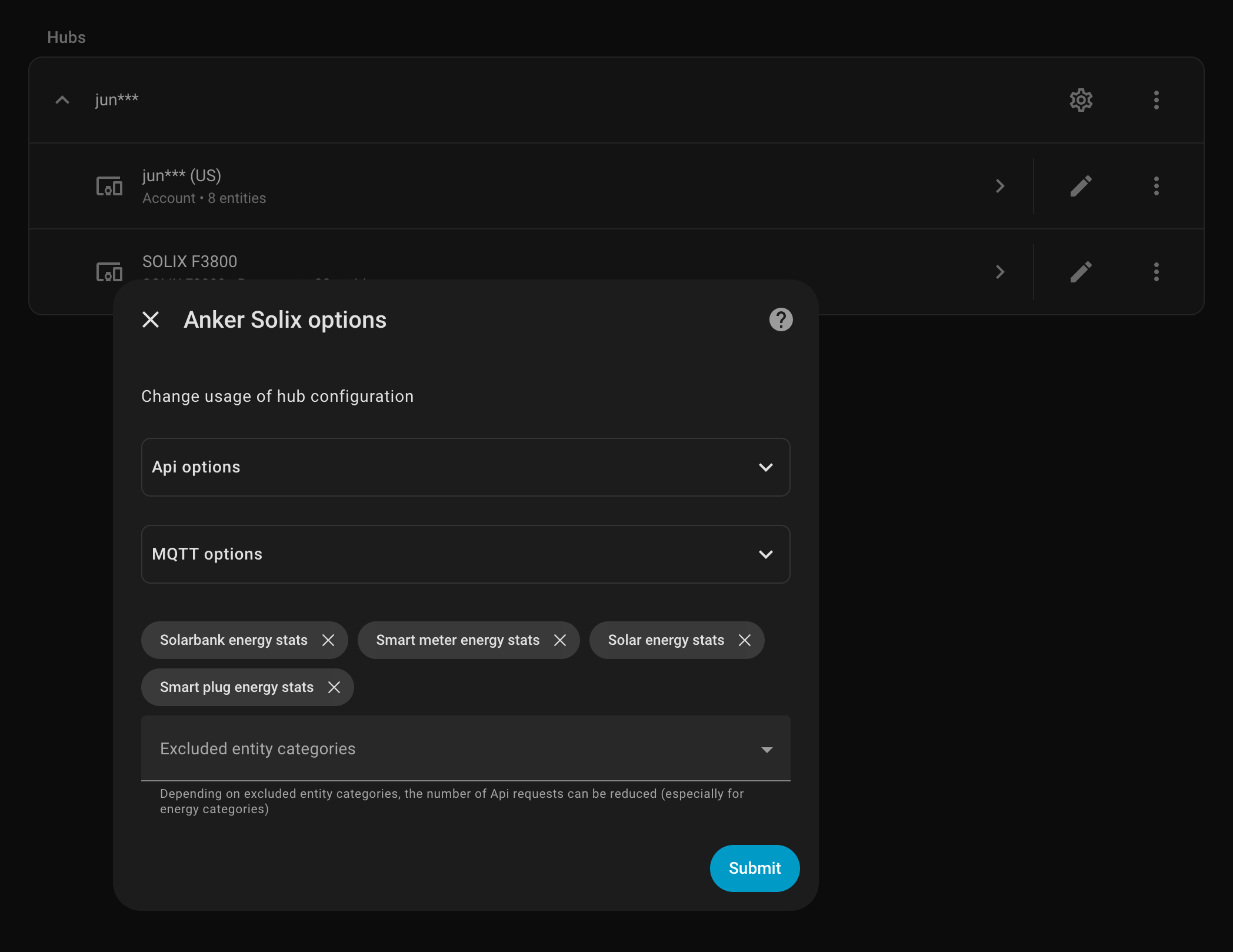
Enable MQTT via the overall (gear) options.
And after MQTT runs for the first time the sensor stats will populate. At the moment there aren’t options to edit options on the unit, turning off and on outlets or other options but that isn’t super important in my current use of just powering the mini-servers, networking gear, and chest freezer. It isn’t turning services off and on or trying to load shift in any complicated way.
This is so useful for finally seeing just how much each server is using, how much solar it brings in, or just how depleted the battery is. The off-grid solar isn’t bringing in enough power during the winter to allow charging the car or dumping extra load anywhere but in the spring and summer this will be hugely useful.
(Also, note, do not know if this works with the F3800 Plus.)
Updated and Retried on Home Assistant 2025.11.3 12/03/25
Smart Batteries have their issues but being able to monitor them in Home Assistant is convenient and mostly works well. (Yes, another option is a smart shunt.)
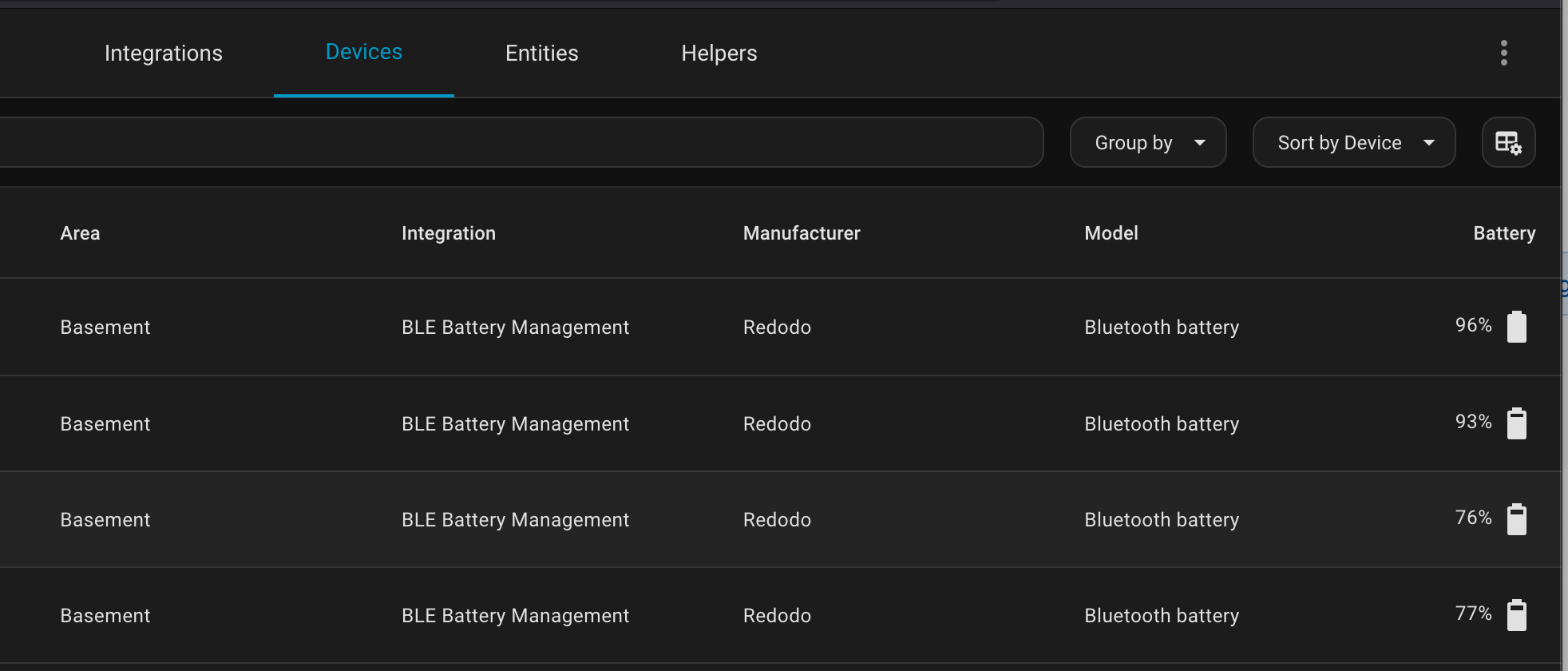
Fortunately, as usual with Home Assistant, there is an awesome plug-in via HACS, the Home Assistant Community Store, for all these bluetooth BMSes via BMS_BLE-HA.
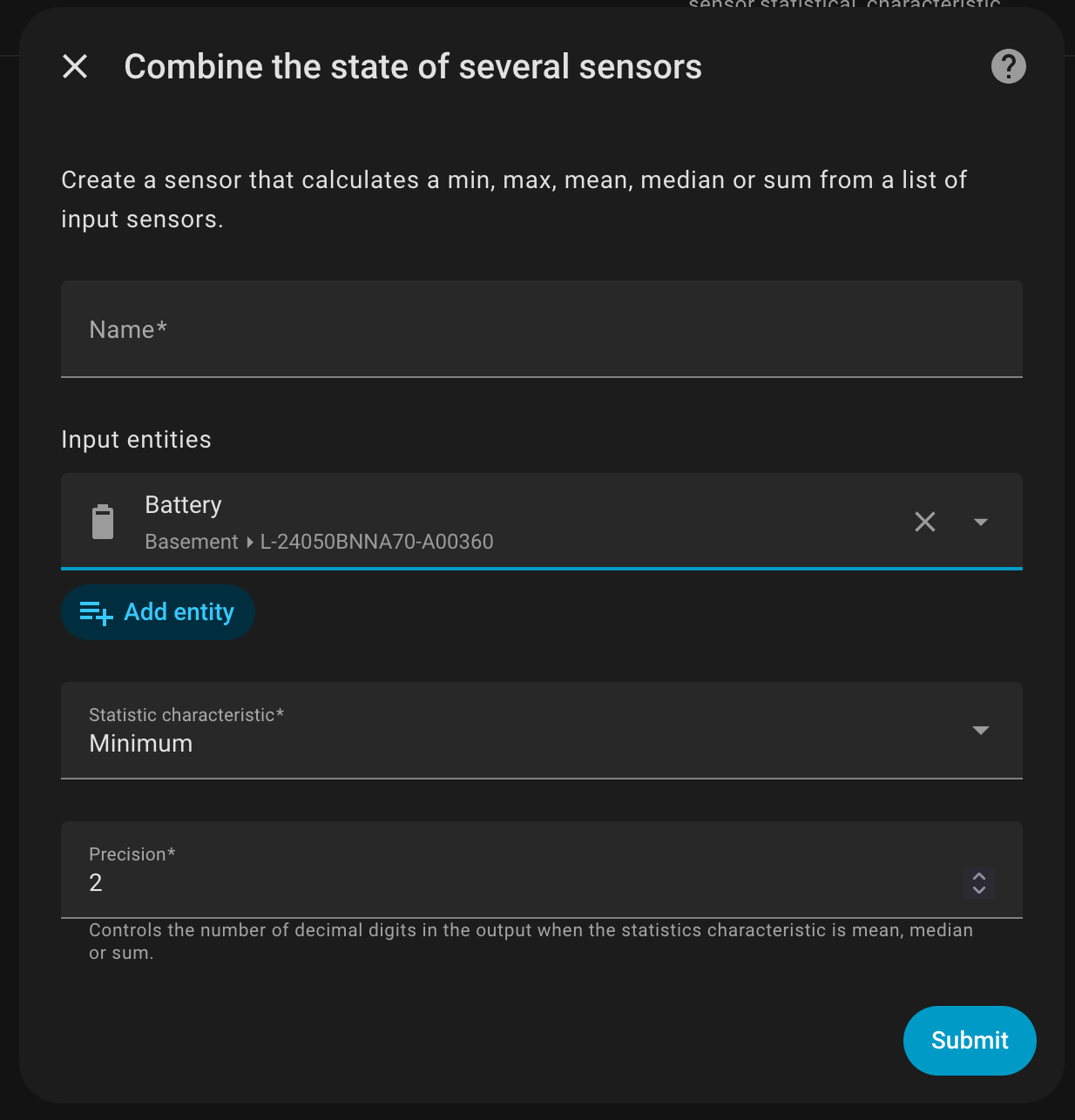
Once the batteries are showing in the BLE Management, you can then create a helper to combine the status of these. Now, granted, if these batteries are series and paralleled correctly their charge states should stay very close but this is helpful for a quick look. Also this could be set up to notify you if the voltages or charge states do drift.
Updated and Retried on Home Assistant 2025.11.3 12/03/25
Recently had a problem with a Victron Controller and voltage spikes and it would have been really helpful to either alter the voltage settings or just disable the charge controller remotely for a temporary fix. Now, Home Assistant works as a monitor perfectly but, so far as I know, you can’t alter values via HA. (Will look into that more.)
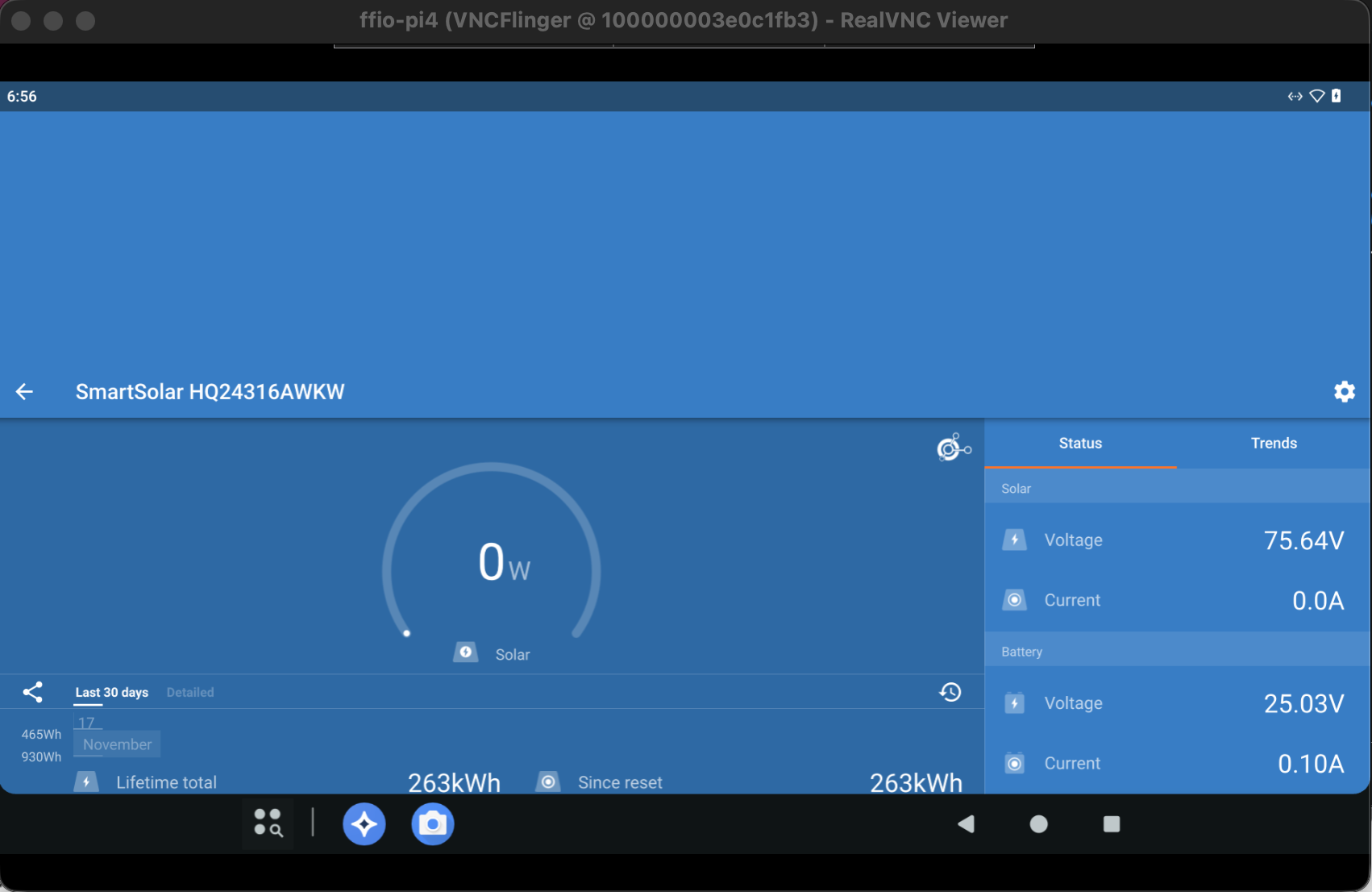
Turns out Lineage OS, via KonstaKangs excellent page, works a treat. You do need GApps to install repos like Litime’s battery monitoring, but the Victron Connect APK is available from their site.
The setup isn’t perfect. The VNC connection is a little temperamental, the Victron App doesn’t display right, so on. But Bluetooth works and connects for all apps.
Definitely will refine and revisit but great to have the backup connection to controllers and batteries.
Kasa and/or Tapo are not showing devices in Home Assistant and sometimes they aren’t staying connected to the iOS apps.
So far Kasa devices have stayed out of the way and occasionally being able to start the switches remotely is helpful. With Home Assistant I’ve started to set timing to the switches for waking up or turning off lights but one of the power strips just refuses to authenticate in Home Assistant. (Even though other items in the same account auth?)
At the moment don’t have an answer. Tried the Tapo app, which is kinda worse than the Kasa app, tried removing and readding, all the standard items.